How do I delete a dictation?
Overview
This article explains how to delete a dictation from the Dictalogic platform.
Applies to
Authors, Super Authors, Administrators
Deleting a dictation
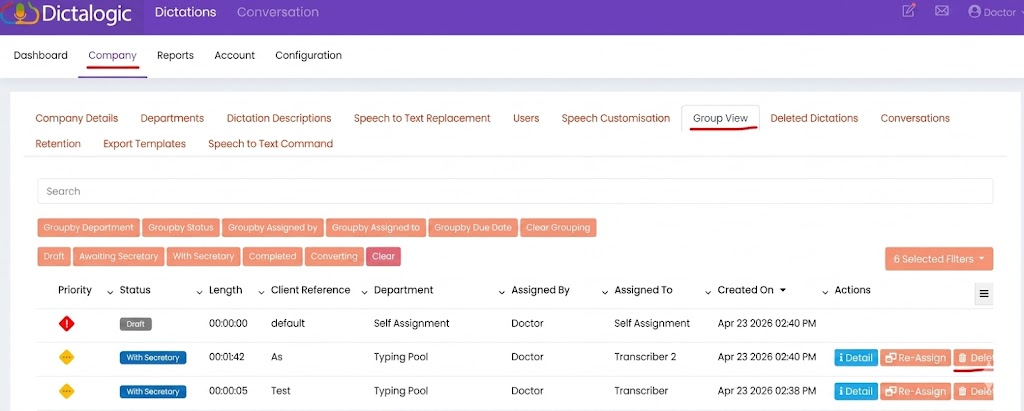
Log in to the Dictalogic web portal and navigate to your dictation dashboard. Locate the dictation you wish to delete. Under the Actions column for that dictation, select the Delete option. You will be prompted to confirm the deletion. Confirm to proceed.
Permissions
Not all users have permission to delete dictations. Deletion permissions depend on your user role and the status of the dictation. In most configurations, authors can delete their own dictations while they are still in certain statuses (for example, “With Author”). Once a dictation has been assigned to or accepted by a secretary, deletion may require administrator or Super Author permissions.
Recovering a deleted dictation
Once a dictation is deleted, it may not be recoverable. If you have accidentally deleted an important dictation, contact your administrator or Dictalogic support immediately. For guidance on recovering unsaved dictations, see the knowledge base article “How to recover an unsaved dictation?”
Bulk deletion
If you need to delete multiple dictations at once, contact your administrator, as bulk deletion may be available depending on your account configuration and role.