How do I install the Dictalogic mobile app?
Overview
This article explains how to download and install the Dictalogic mobile app on iOS and Android devices.
Applies to
All Users
iOS
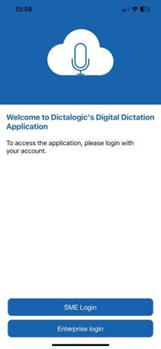
Open the App Store on your iOS device. Search for “Dictalogic”. Locate the official Dictalogic app and tap Get to download and install it. Once installed, open the app and log in with your Dictalogic credentials.
Android
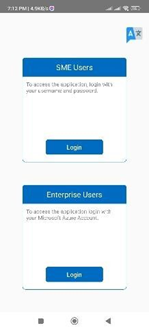
Open the Google Play Store on your Android device. Search for “Dictalogic”. Locate the official Dictalogic app and tap Install. Once installed, open the app and log in with your Dictalogic credentials.
Logging In
Enter your Dictalogic username and password. If your organisation uses Single Sign-On (SSO), select the SSO option and authenticate using your organisational credentials.
Permissions
On first launch, the app will request permission to access your microphone. This permission is required for dictation and must be granted for the app to function correctly. Grant all requested permissions when prompted.
App Updates
Keep the Dictalogic app updated to the latest version to ensure you have access to the most recent features, accuracy improvements, and security fixes. Enable automatic app updates in your device settings, or check the App Store or Google Play regularly for updates.