How do I access dictations assigned to me (transcriber view)?
Overview
This article explains how secretaries and transcriptionists access and manage dictations assigned to them in Dictalogic.
Applies to
Secretaries, Transcriptionists
Accessing your work queue
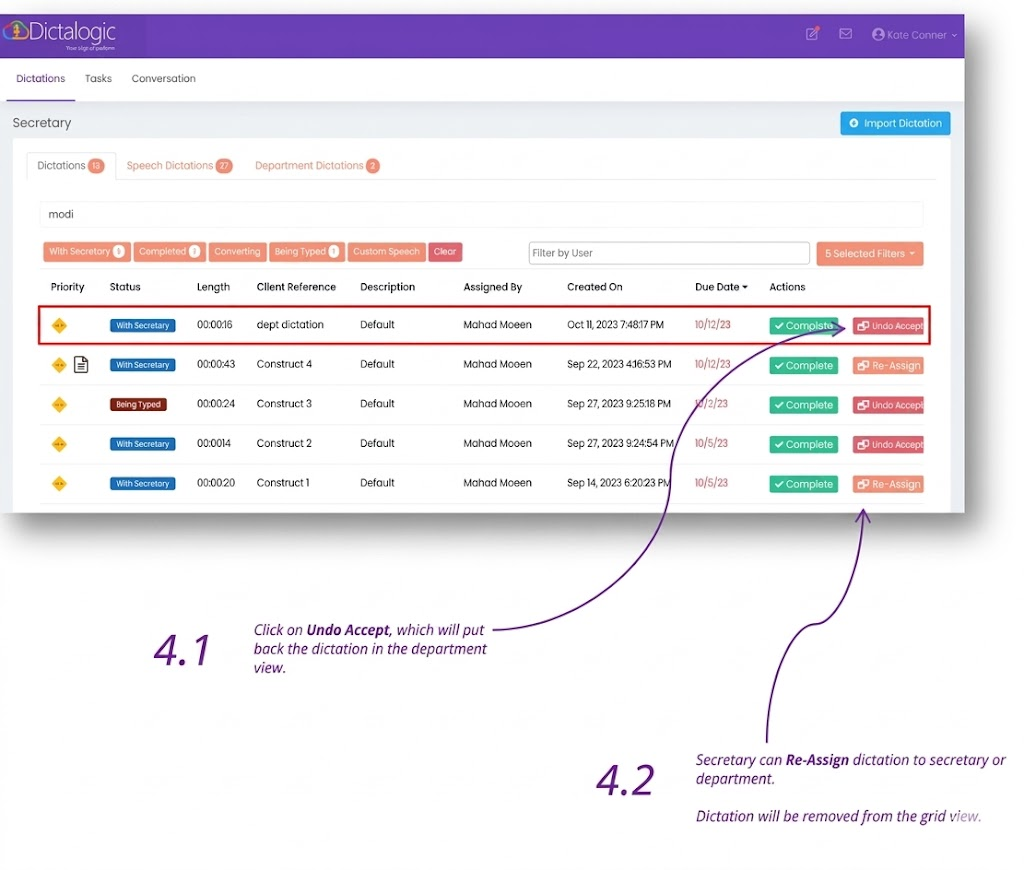
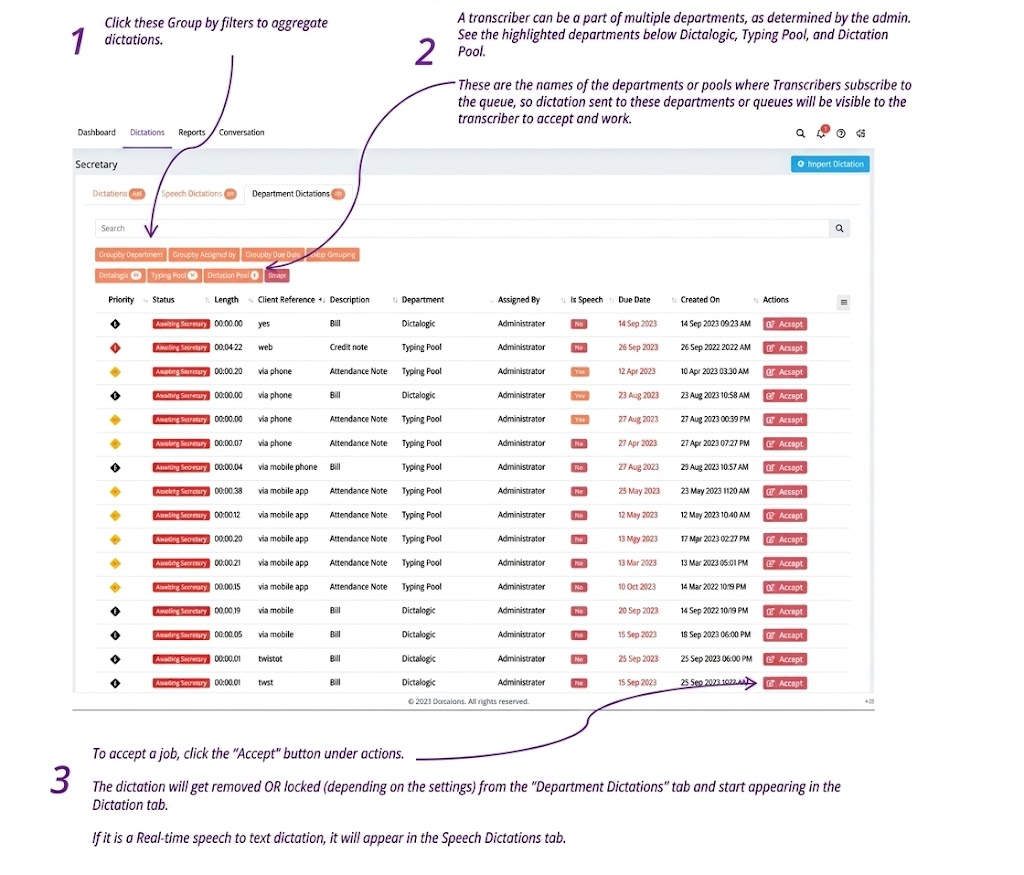
Log in to the Dictalogic web portal using your secretary or transcriptionist credentials. Your dashboard will display the dictations currently assigned to you or available to accept from a pool. Dictations with the status “With Secretary” have been directly assigned to you. Dictations with the status “Awaiting Secretary” in a pool are available for you to accept.
Accepting a Dictation from a Pool
If your organisation uses a pool or department queue, dictations awaiting transcription will appear in the shared pool. Select a dictation and use the Accept or Take On action to assign it to yourself and move it to your personal queue.
Opening a dictation for transcription
Click on a dictation to open it. You will see the audio player for playback and a text editor for transcription. Use your foot pedal to control audio playback (play, pause, rewind) while you type the transcription into the text editor.
Returning a dictation
If you are unable to complete a dictation, you may be able to return it to the pool.